Browser Selector
A free, open-source macOS utility that lets you choose which browser or profile opens a link.
Download for macOS · View source on GitHub
Requires macOS 14 Sonoma or later.
Choose which browser opens a link
When you click a link in Mail, Messages, or another app, Browser Selector asks where to open it. Choose Safari, your personal Firefox profile, or your work Chrome profile. Click a choice, use the arrow keys and Return, or press its number key to open the link.
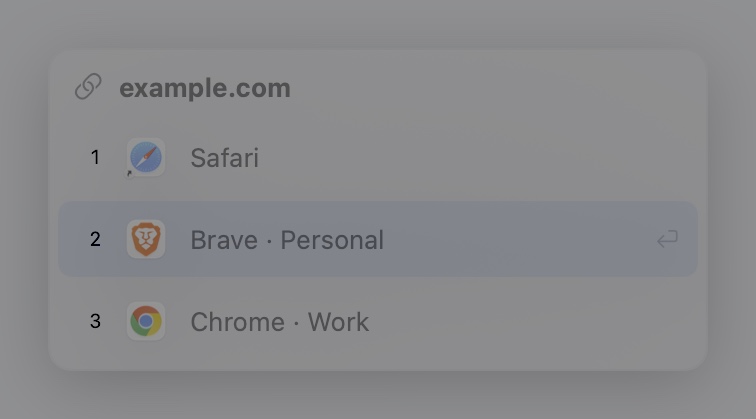
Browser Selector can list profiles separately for Firefox, Chrome, Chromium, Brave, Microsoft Edge, and Vivaldi. You can rename, hide, and reorder choices in Settings so your usual profiles stay within easy reach.
Install Browser Selector
- Download the DMG from the latest GitHub release.
- Open the DMG and drag Browser Selector into Applications.
- Open Browser Selector, choose Set as Default Browser in its settings, and approve the macOS prompt.
- Click a link in another app to try the picker.
The GitHub releases are ad hoc signed and do not have Apple notarization. If macOS blocks the first launch, see Apple’s instructions for opening an app you trust.
Privacy
Browser Selector makes no network requests of its own, collects no telemetry, and clears pending links after you choose a browser or dismiss the picker. Your picker preferences are stored locally. The source is available under GPL-3.0-or-later.